
Mesh generation#
With HelloTriangle, users can create meshes from scratch using our Python-based scripting language. The script defines parameters related to both the geometry (shape) and the mesh density..
Basic concepts#
When generating meshes, users often start from one of the available basic shapes. From there, several methods can be used to build more complex geometries.
For example, you can draw two line segments (1D meshes composed of line2 elements)
and connect them using the connect() method to form a quadrilateral (2D quad4) mesh.
By doing this, you increase the mesh dimensionality from 1D (line) to 2D (surface).
If you then extrude this quadrilateral mesh, you again increase the mesh dimensionality,
creating a 3D hexahedral (hex8) mesh.
line_segment1 = shapes.line_segment([0.0, 0.0, 0.0], [1.0, 0.0, 0.0], div=2)
line_segment2 = shapes.line_segment([0.0, 1.0, 0.0], [2.0, 1.0, 0.0], div=2)

quad = Mesh.connect([line_segment1, line_segment2], div=4)

hex = quad.extrude(dir=2, length=2.0, div=3)

draw(hex)
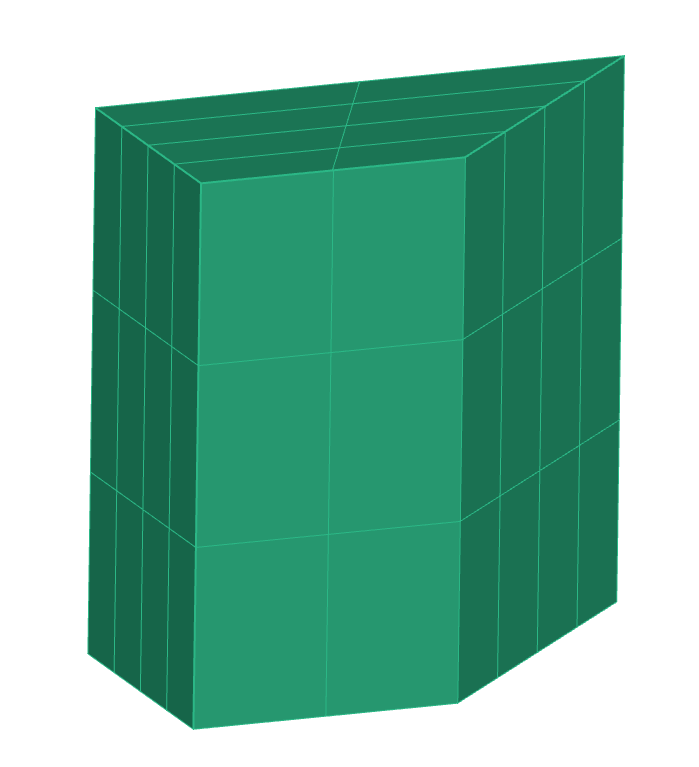
Example of a 3D hexahedral mesh generated by extruding a 2D quadrilateral mesh.#
Decreasing mesh dimensionality#
There are also methods that reduce mesh dimensionality.
For instance, applying border_mesh() to a hexahedral mesh will extract its outer surface,
returning a quadrilateral (quad4) surface mesh.
You can then use the convert() method to obtain a triangular (tri3) mesh.
quad = hex.border_mesh()
tri = quad.convert('tri3')

draw(tri)
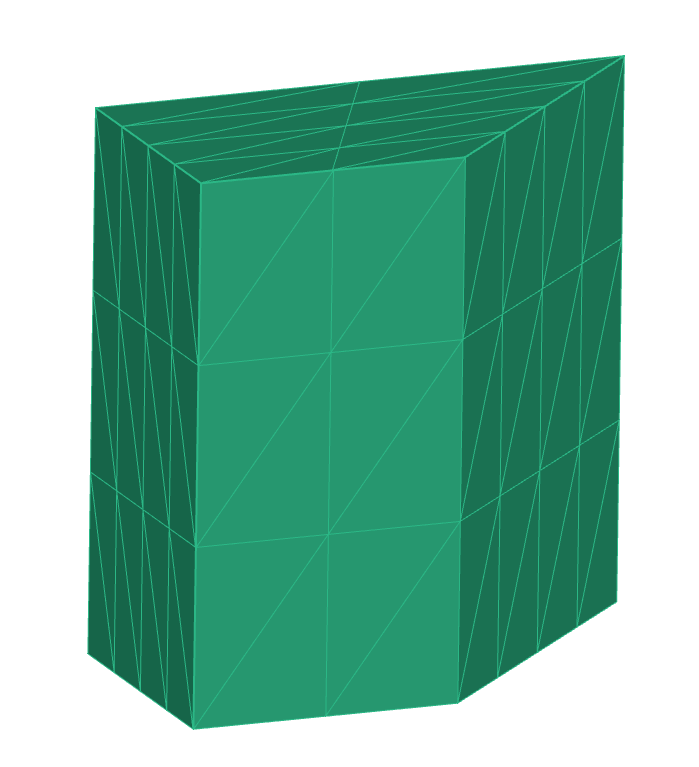
The border of the hexahedral mesh extracted and converted into a triangular surface mesh.#
Important
Converting a mesh from one element type to another using the convert() method is only
possible if both element types have the same dimensionality. For instance, 3D
elements can only be converted to other 3D elements.
Dimensionality overview#
The process of mesh generation often involves moving between mesh dimensions:
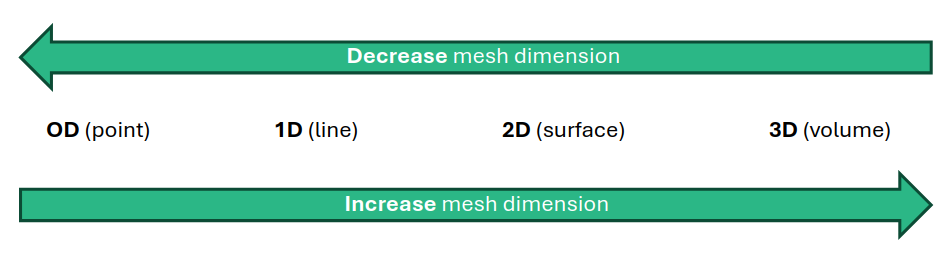
Schematic representation of mesh dimensionality transitions — increasing (e.g. extrusion, sweeping, connection) and decreasing (border, face, edge extraction).#
Methods that increase mesh dimension:
Methods that decrease mesh dimension:
Example: generating a tube#
As an example, consider creating a tube with a certain wall thickness. If our goal is to obtain a closed triangular surface mesh (e.g. for 3D printing), we can use the following steps:
Generate an inner circle (1D
line2elements).Create an outer circle and connect the two circles → 2D
quad4mesh.Extrude to form the tube → 3D
hex8mesh.Extract the border mesh and convert to triangles → 2D
tri3mesh.
cir_inner = shapes.circle(div=24)
cir_outer = cir_inner.scale(1.3)

quad = Mesh.connect([cir_inner, cir_outer], div=1)

hex = quad.extrude(dir=2, length=5.0)

tri = hex.border_mesh().convert('tri3')
draw(tri)
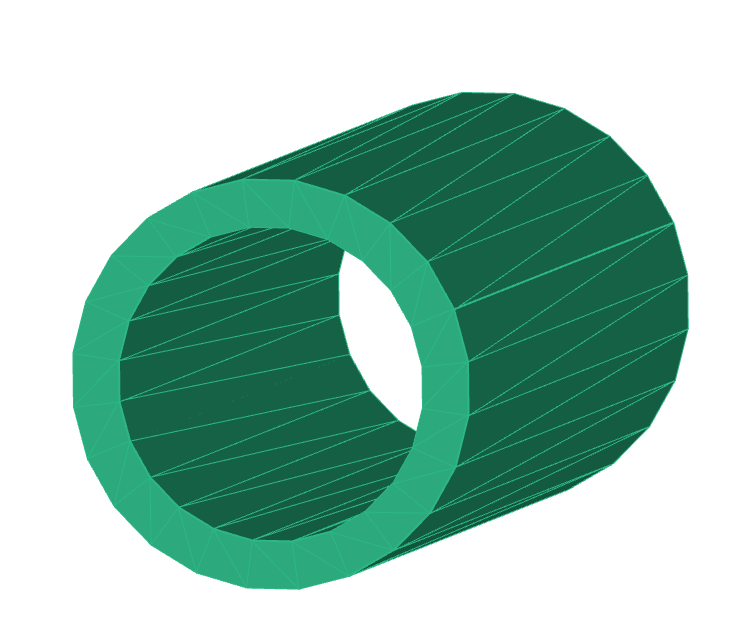
Example of a triangular surface mesh created by first increasing and then decreasing mesh dimension.#
Alternative approach for triangle meshes#
If the final goal is a triangular surface mesh, you can also directly work on 2D meshes, without increasing
or decreasing mesh dimensionality. For example, to generate a triangle mesh of the above tube, you could
start directly from a closed triangle-based shape, using shapes.cylinder(), and apply boolean operations
to modify the mesh.
Element types overview#
The schematic below provides an overview of available element types for each mesh dimension and how they relate when increasing the mesh dimension.
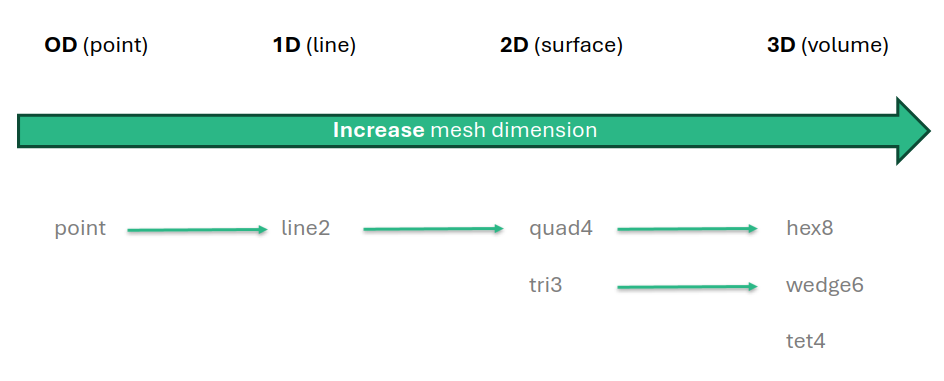
Overview of element types and their correspondence when increasing mesh dimensionality.#