
Imports#
This section explains which modules are automatically imported in HelloTriangle, and how you can include additional imports in your scripts.
Automatic imports#
When you create a script in HelloTriangle, the following imports are available by default:
from hellotriangle.mesh import Mesh
from hellotriangle.hybridmesh import HybridMesh
from hellotriangle.coords import Coords
from hellotriangle import shapes
These provide the main functionality for working with Mesh and HybridMesh objects, points or coordinates, and predefined shapes.
Adding your own imports#
In addition to the built-in HelloTriangle modules, you can freely import standard Python packages. For example:
import numpy as np
This allows you to use familiar scientific libraries within your HelloTriangle scripts.
Note
Any modules available in the default Python environment can be imported. This includes widely used packages such as numpy, scipy, and math.
Examples#
 import numpy as np

 # create rectangular grid in XY plane consisting of triangles
 grid = shapes.rectangle(
     dim=(20.0, 20.0), corner=[-10.001, -10.001, 0.0], div=100, eltype="tri3"
 )

 # add sinus wave to Z coordinates
 X = grid.x
 Y = grid.y

 R = np.sqrt(X**2 + Y**2)
 grid.z = (np.sin(R) / R) * 7.0

# draw
draw(grid, style={
   "faces": {"color": "#D62246"},
   "lines": {"color": "black", "visible": True}
})
This example shows how you can combine HelloTriangle objects with standard Python tools for more flexible and powerful scripting.
Here’s the resulting 3D model:
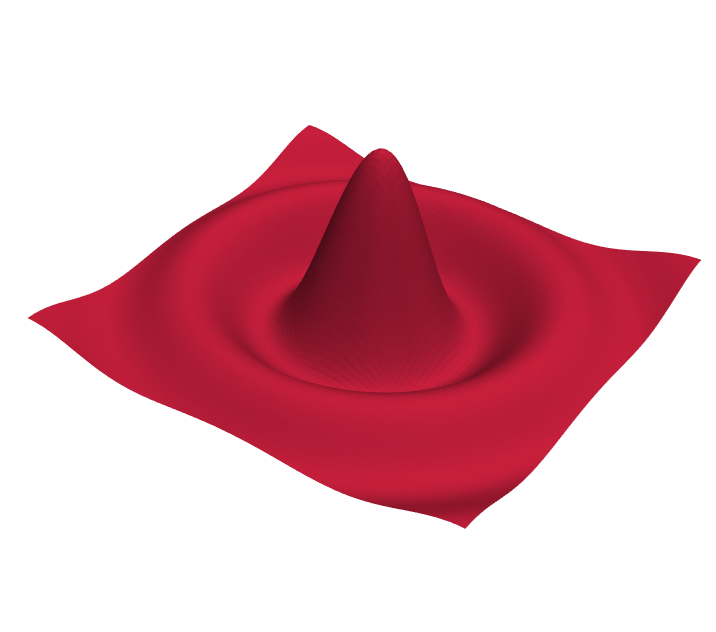
Example showing how to combine HelloTriangle with standard Python tools like Numpy.#